
Amortization & Time Value of Money Software
 Amortization Plus, or A+ for short, is a tool to help create and maintain loan amortization, annuity,
and lump-sum distribution schedules. Calculate interest rates, terms, payments, payouts, and print schedules for the life of a loan or annuity. In addition, you can make balloon payments,
change terms, withdraw lump-sums, or change any other facet of a loan or annuity.
Amortization Plus, or A+ for short, is a tool to help create and maintain loan amortization, annuity,
and lump-sum distribution schedules. Calculate interest rates, terms, payments, payouts, and print schedules for the life of a loan or annuity. In addition, you can make balloon payments,
change terms, withdraw lump-sums, or change any other facet of a loan or annuity.
Try A+ now and you will find it indispensable for your company and clients. It will save time and money, giving you the most professional results for your clients or your own company!
Amortization Plus will become indispensable as you begin to utilize the many customizable features for your clients. You can quickly enter loan information to get a payment or interest rate on the fly using the "Quick Schedule" option, and then save the results for any client already setup in A+. From there, you can print loan amortization schedules, annuity schedules, and even graph the results. Once you see how easy and intuitive Amortization Plus is to use, you will never use another loan amortization program.
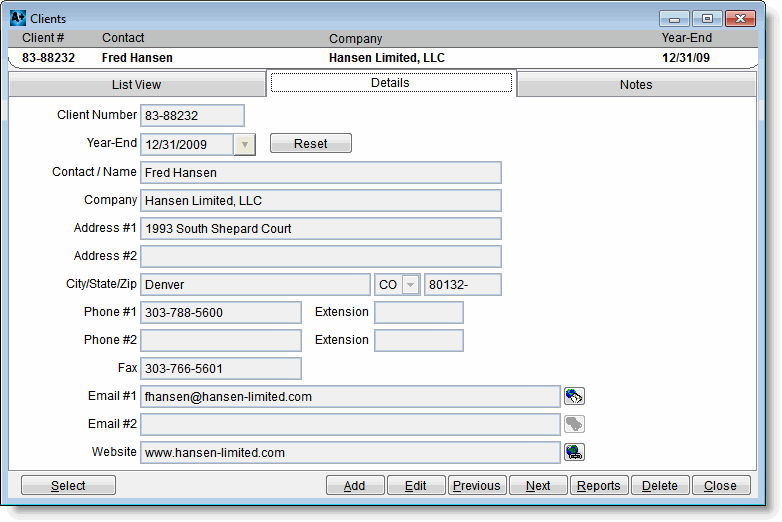
The client screen allows you to enter unlimited clients for which you can add amortization schedules, annuities, and lump sum calculations.
More Info
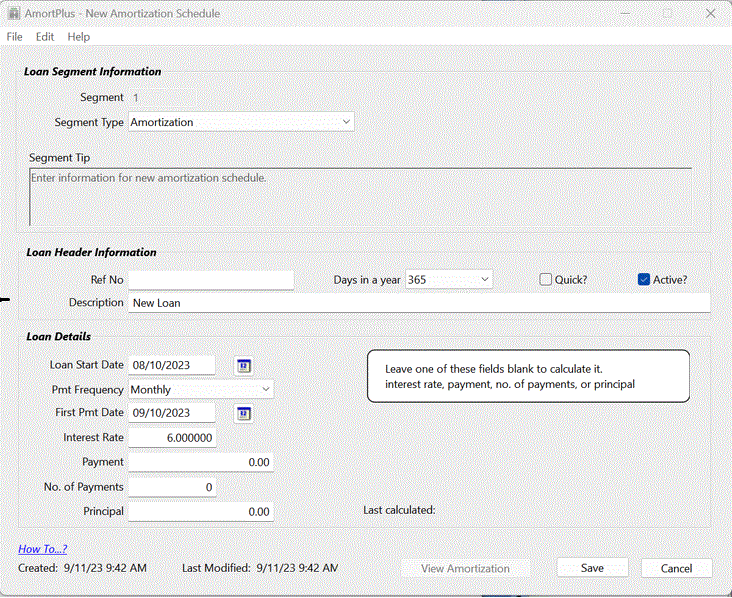
The Amortization screen allows you to calculate the payment, interest rate, number of payments, or principal on an amortization schedule. You also have the ability to make payment adjustments at your discretion.
More Info
In Amortization Plus, you have the ability to print amortization schedules in a variety of ways by specifying what data you want on the report. Also, you can print other reports such as the Five Year Loan Analysis.
More Info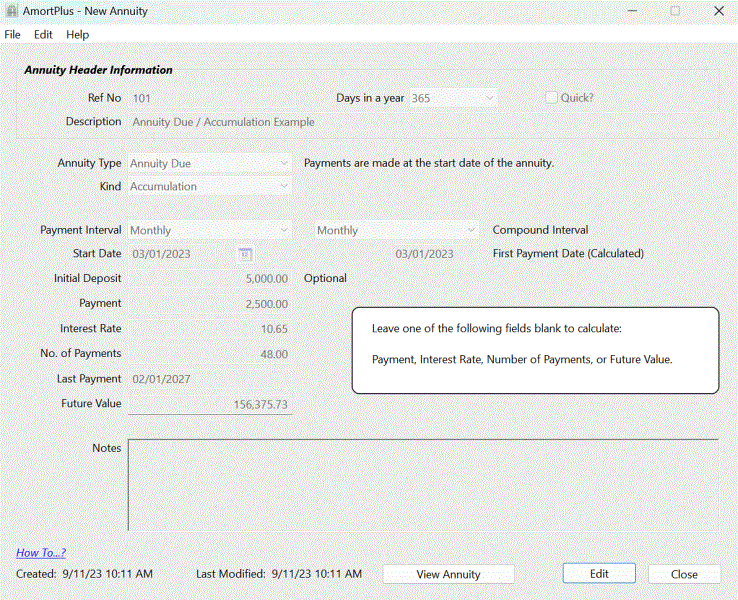
Annuity calculations can be performed on accumulations and withdrawals. You can calculate the deposit amount, payment, interest rate, number of payments, or the future value.
More Info
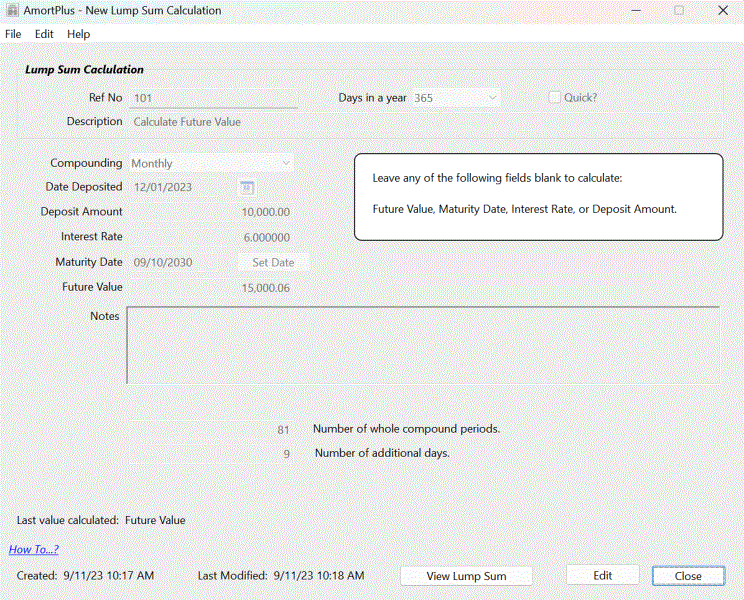
The Lump Sum screen allows you to calculate the future value, maturiy date, interest rate, or deposit amount on a lump sum deposit.
More Info
