


Virtual Desktop Calculator
 10-Key Plus is a full-featured tape calculator that can be used
with any program. Cut and paste the results, create a running tape, and even print the results to a printer to attach to documents.
Use a traditional 10-Key layout or a handheld calculator layout. Both have the look and feel of real calculators
and interact with the mouse or keyboard for quick data entry.
10-Key Plus is a full-featured tape calculator that can be used
with any program. Cut and paste the results, create a running tape, and even print the results to a printer to attach to documents.
Use a traditional 10-Key layout or a handheld calculator layout. Both have the look and feel of real calculators
and interact with the mouse or keyboard for quick data entry.
10-Key Plus will become indispensable as you begin to use it with all of your various programs. You no longer have to interrupt your work to add numbers on your desktop or handheld calculator. In addition, the results can be copied and pasted to your program, making traditional calculators a thing of the past. Print the contents of the tape to your Windows printer or save them for use later by printing them to a file. Once you start using 10-Key+, you will never want to use a desktop calculator again.
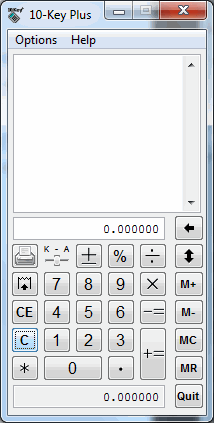
The 10-Key Calculator displayed below has all of the functionality of a real 10-Key Calculator. Notice the tape can be printed as a report by clicking the printer button.

The calculator can be converted to a traditional handheld calculator through the menu options.
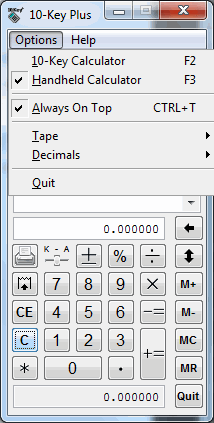
Besides selecting the calculator mode, you can customize how many tape lines to show, and how many decimals to show.